Parametric House · Digital File
PlanarityAnalysis
Analyze mesh face planarity in Grasshopper with the Planarity Analysis component. Visualize deviations with color gradients and set precise deviation limits for accurate results.
Gallery
Video Resources
PlanarityAnalysis
PublicAbout this file
The Planarity Analysis component in Grasshopper is a powerful tool for evaluating the planarity of mesh faces.
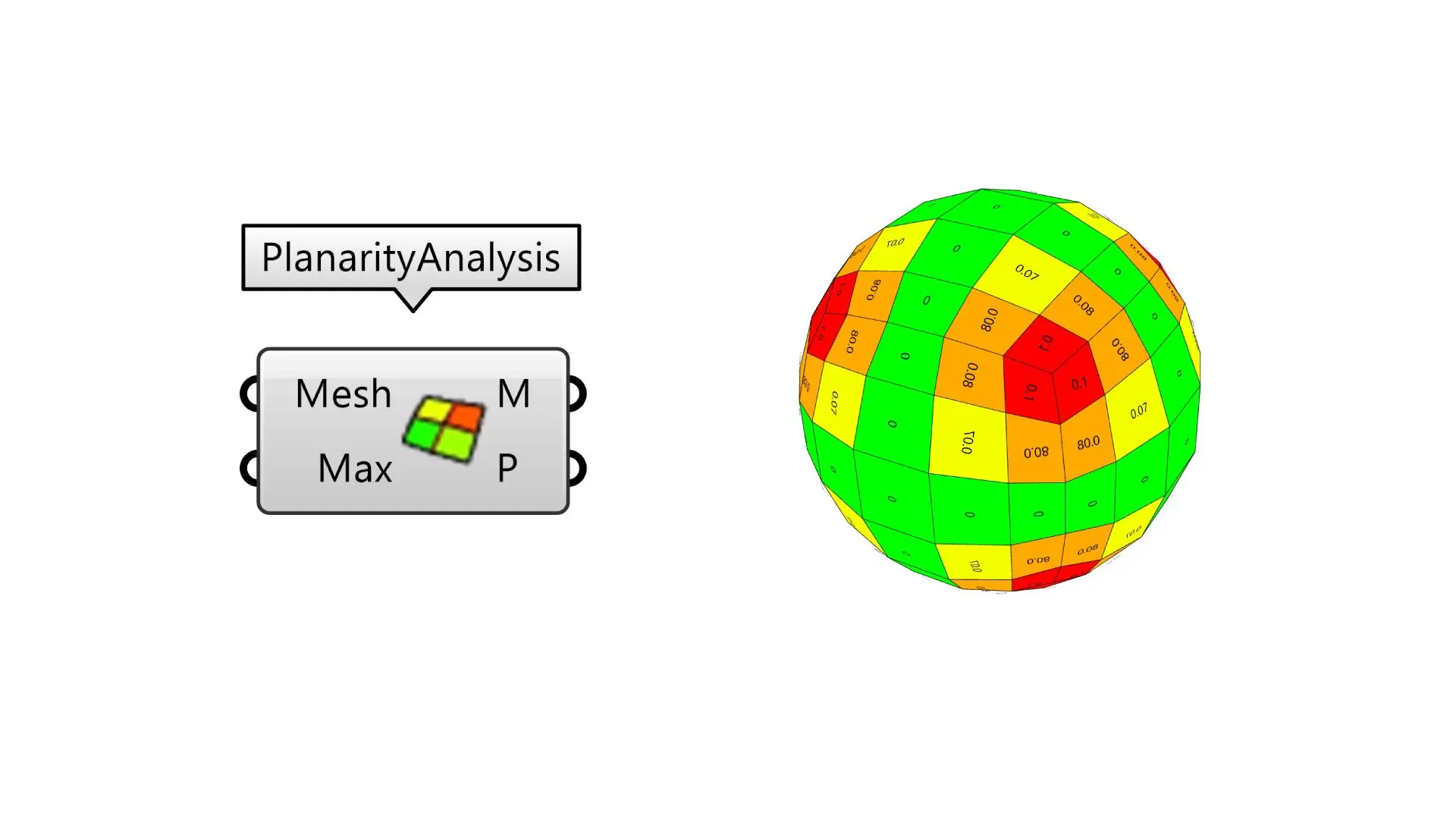
It simplifies the process by visually representing face planarity using color gradients.
Here’s how it works:
Planar faces are displayed in green, indicating they meet the planarity criteria.
Non-planar faces are highlighted with a gradient from yellow to red, where red indicates the highest deviation from planarity.
The second input allows you to set a deviation limit, defining the threshold above which faces are considered non-planar.
This feature is perfect for analyzing complex meshes, ensuring precision in architectural panels, or improving geometric designs.
Algorithm by: Neda Rafizadeh