Parametric House · Digital File
Normalized Parameters
For instance, a parameter value of 0.5 might not be halfway along the curve’s length – or even close to it. This happens because reparameterization redistributes the parameter values without considering the curve's physical dimensions.
Video Resources
Youtube 1
PublicAbout this file
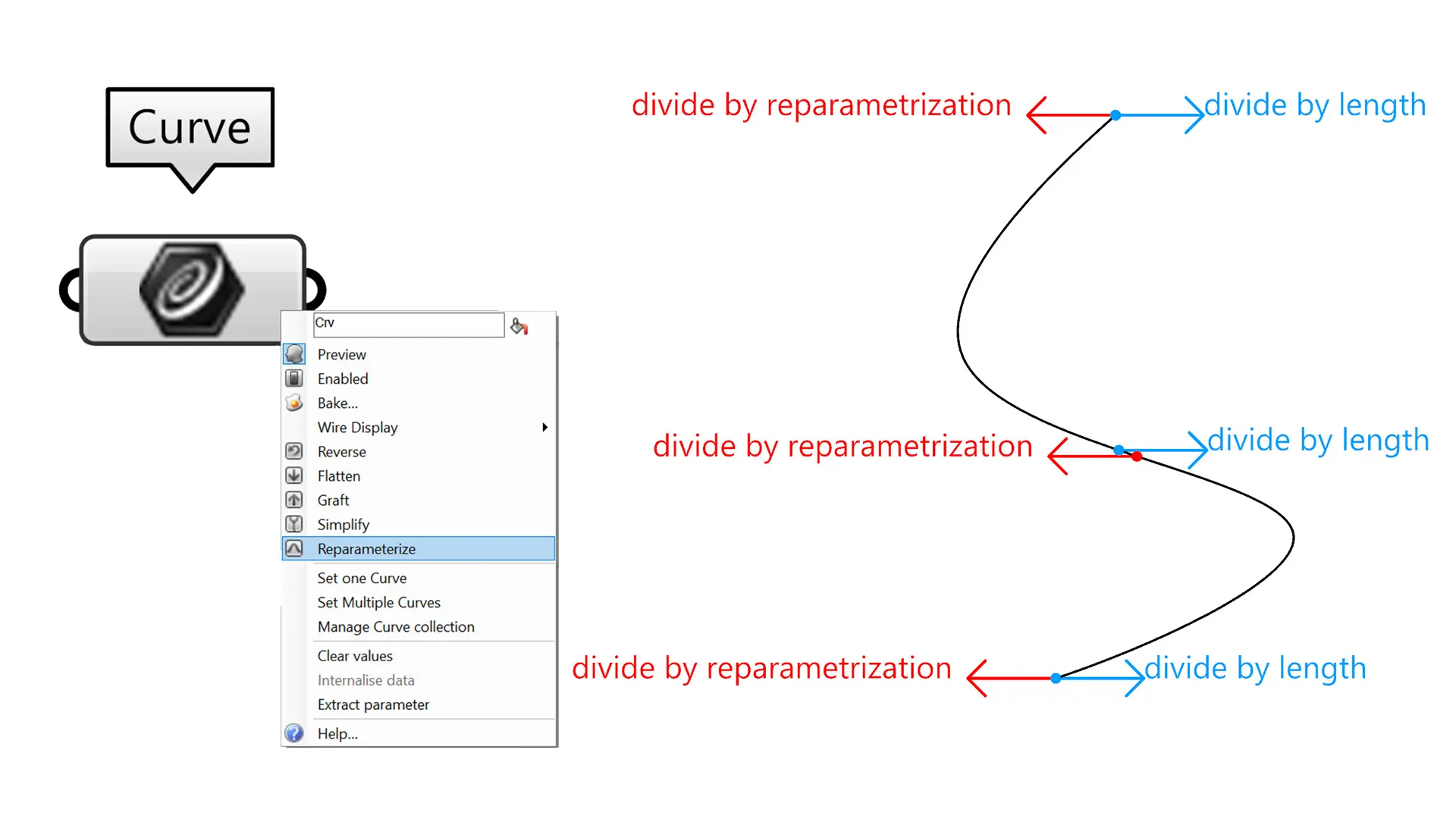 Did you know? Reparameterizing a curve in Grasshopper changes its parameter range to 0–1, but this doesn’t correspond to the actual geometry of the curve!
For instance, a parameter value of 0.5 might not be halfway along the curve’s length – or even close to it. This happens because reparameterization redistributes the parameter values without considering the curve's physical dimensions.
To work with the curve’s true geometry, use the Evaluate Length component. By inputting specific lengths (like total length × 0.25 for the first quarter), you can locate points based on the actual curve length, ensuring accurate results every time.
Understanding this distinction is key to precise modeling and control in Grasshopper!
algorithm by: Ali Ghadamyari