Parametric House · Digital File
Catmull-Clark Subdivision
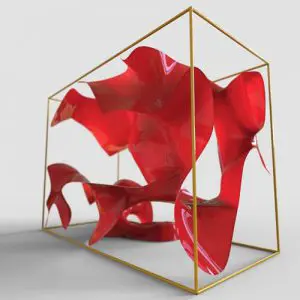
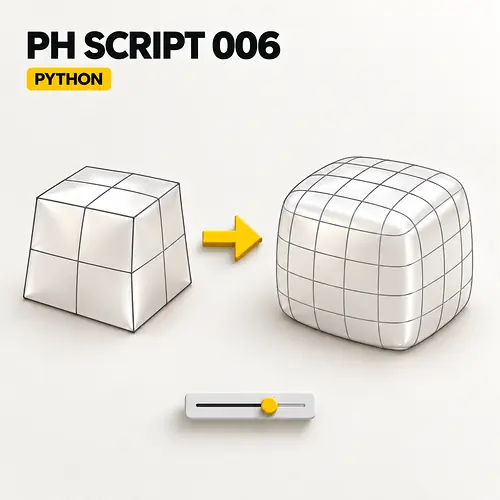
In this Grasshopper Python script, you can create progressively smoother quad meshes from Rhino meshes or closed polyline face loops.
About this file
PH LABS 006
Catmull-Clark Subdivision
Create progressively smoother quad meshes with adjustable subdivision levels and naked-edge behavior.
Turn coarse mesh geometry into smooth, refined forms directly inside Grasshopper.
PH Tools 006 — Catmull-Clark Subdivision applies iterative Catmull-Clark subdivision to Rhino meshes and connected closed polyline face loops. Connect the input geometry, choose a subdivision level, and control how open mesh boundaries should behave. The tool produces a clean quad-based mesh through one focused Grasshopper component.What It Does
✓ Applies Catmull-Clark subdivision to Rhino meshes
✓ Accepts connected closed polyline face loops
✓ Provides subdivision levels from 0 to 5
✓ Generates progressively smoother quad-based geometry
✓ Includes fixed, smooth, and corner-fixed naked-edge modes
✓ Stops excessive subdivision automatically to protect performance
Inputs
Mesh / Curves
Connect one or more Rhino meshes, or curve segments that form connected closed polyline faces.
Level
Sets the number of subdivision iterations from 0 to 5. The default value is 3.
Smooth Naked Edges
Choose 0 for fixed boundaries, 1 for smooth boundaries, or 2 for fixed corners with smooth intermediate boundary vertices.
Output
Output Mesh
Returns the Catmull-Clark subdivided mesh geometry.
INCLUDED FILES
Rhino 7 + Rhino 8
The download includes separate ready-to-use Grasshopper files for Rhino 7 and Rhino 8, with subdivision-level and naked-edge controls. No external plugins are required.
Simple Tools. Real Problems.
PH Labs