Voronoi Basics
In this Tutorial, I will show you how you can use the Voronoi command in Grasshopper and how you can use it to produce the Voronoi cells. First we will talk about the random nature of voronoi cells and then we will use populate…
About this resource
In this Tutorial, I will show you how you can use the Voronoi command in Grasshopper and how you can use it to produce the Voronoi cells. First we will talk about the random nature of voronoi cells and then we will use populate…
Duration : 14 minutes
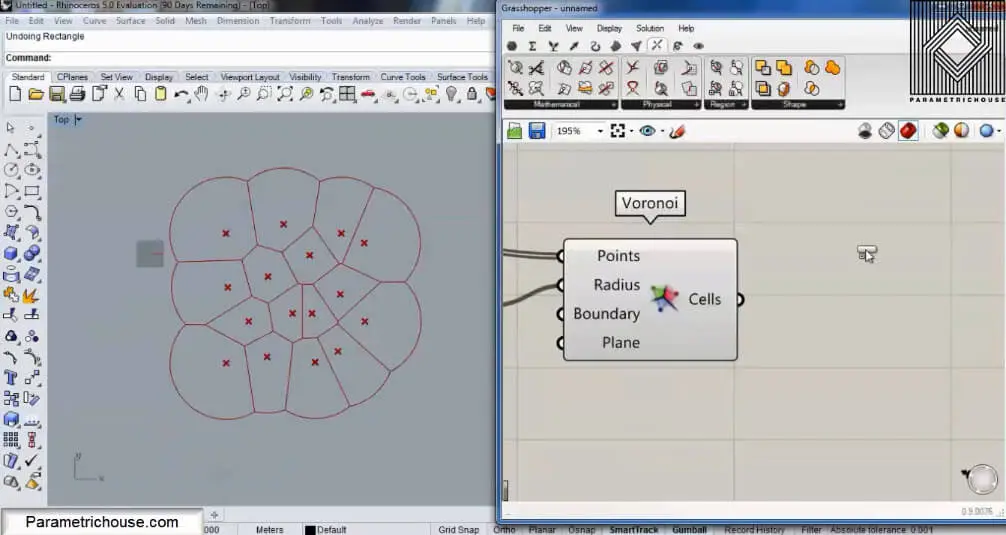
In this Tutorial, I will be talking about the Voronoi command in Grasshopper 3d and how you can use it to produce the Voronoi cells with it.
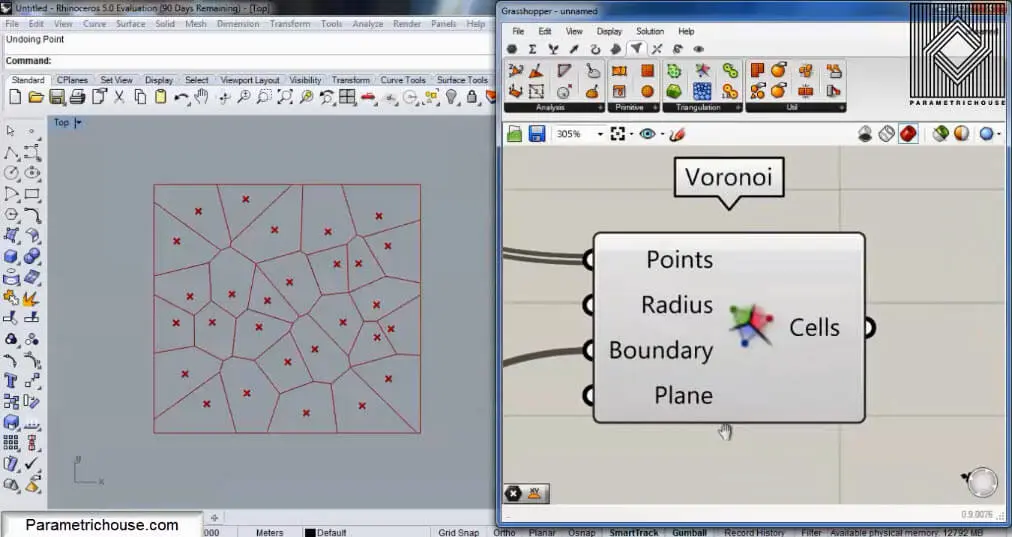
To start we can double click on the canvas and search for “vor”. The Voronoi tool will show up. Notice that there is a Voronoi 3D tool also. This tool will produce cells in 3d boxes and I will talk about it in another tutorial.
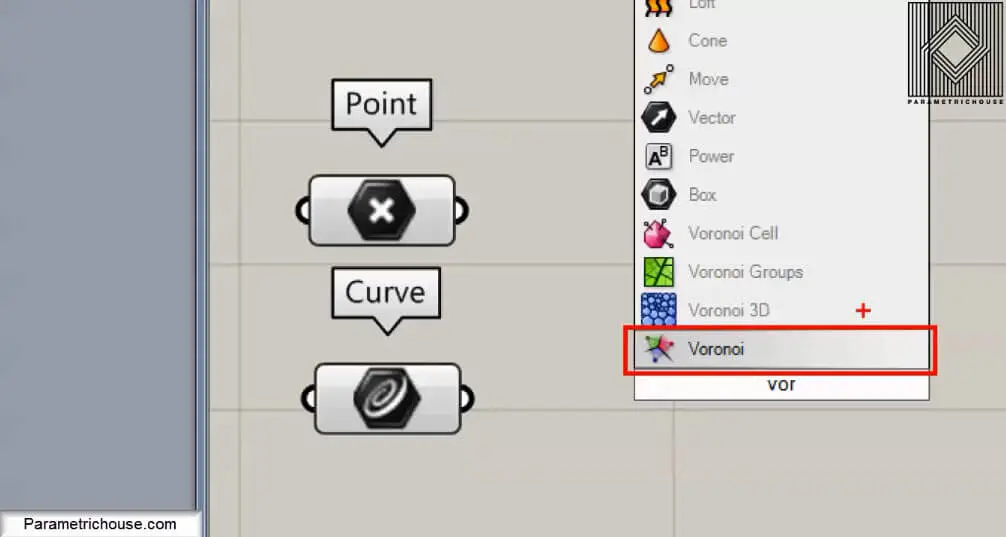
The next step is to give the Voroni tool a set of points. You can go to Params>Geometry and choose “point” and then right click on it and select multiple points to set them. After the point, you should give the Boundry a rectangle by using the curve tool (Params>geometry). I will explain why we need it!
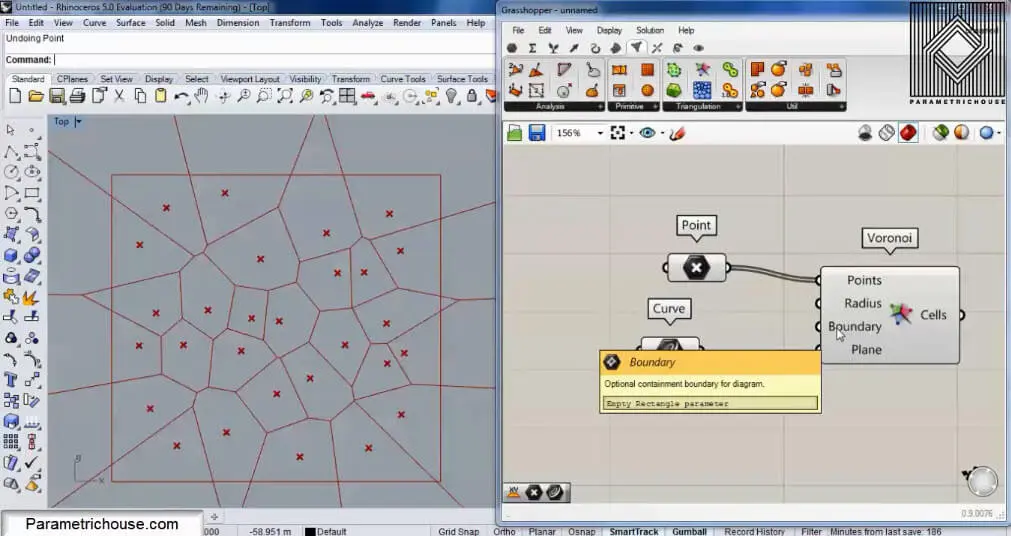
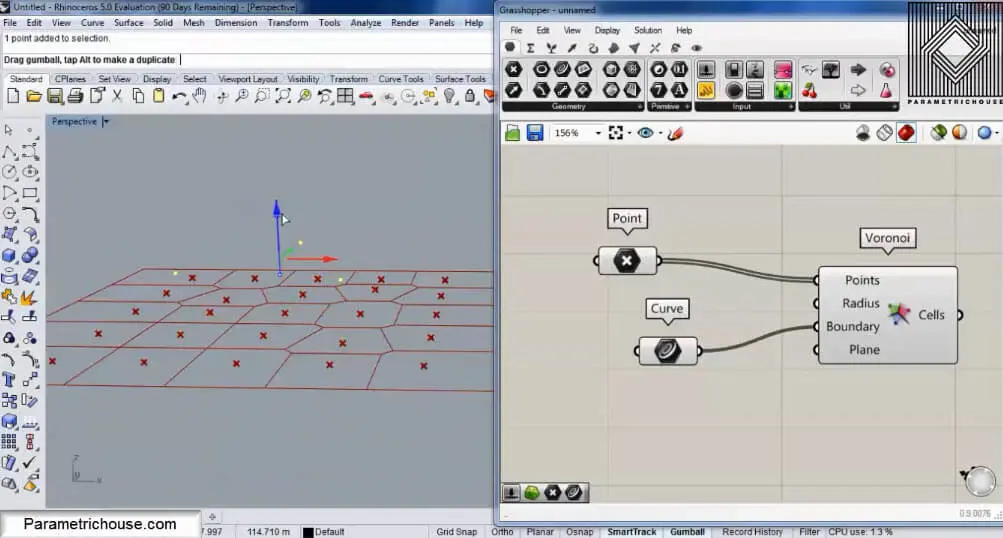
After connecting the point and the boundary we will have the cells. If you change the point’s location you will also see the cells change.
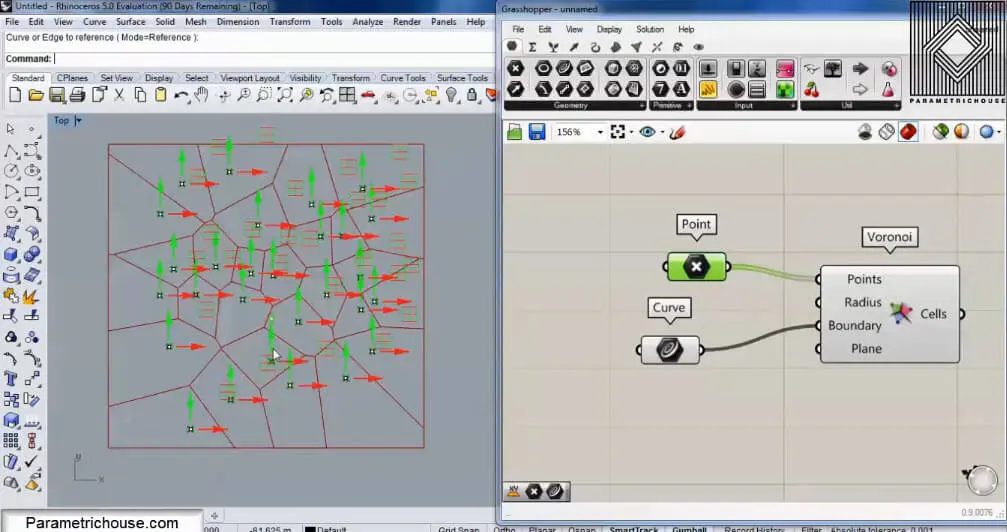
The first tip about Voronoi is that the points should be randomly distributed. If you give a regular grid of points to the tool you will end up with rectangles!
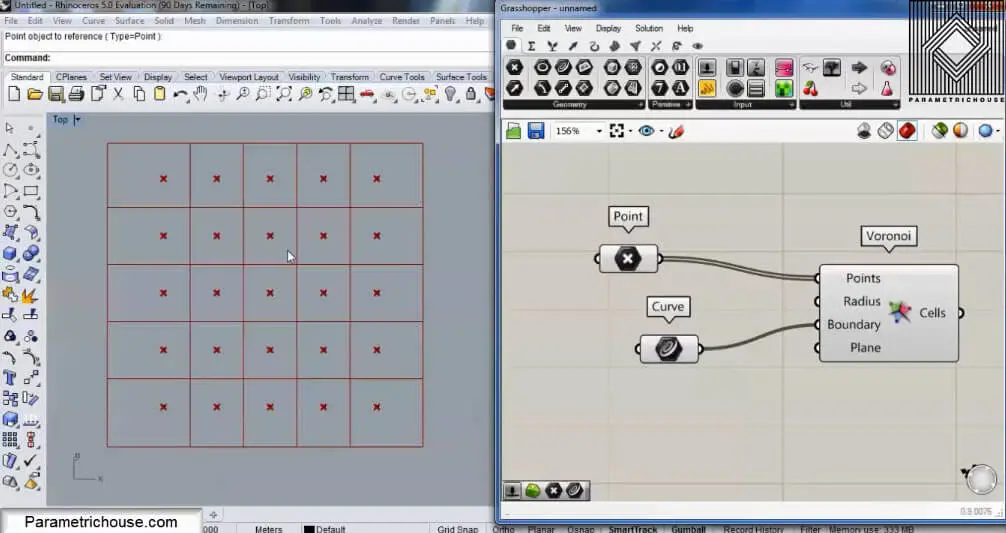
If I change the location of several points in the regualr grid, you can see the Voronoi cells emerge.
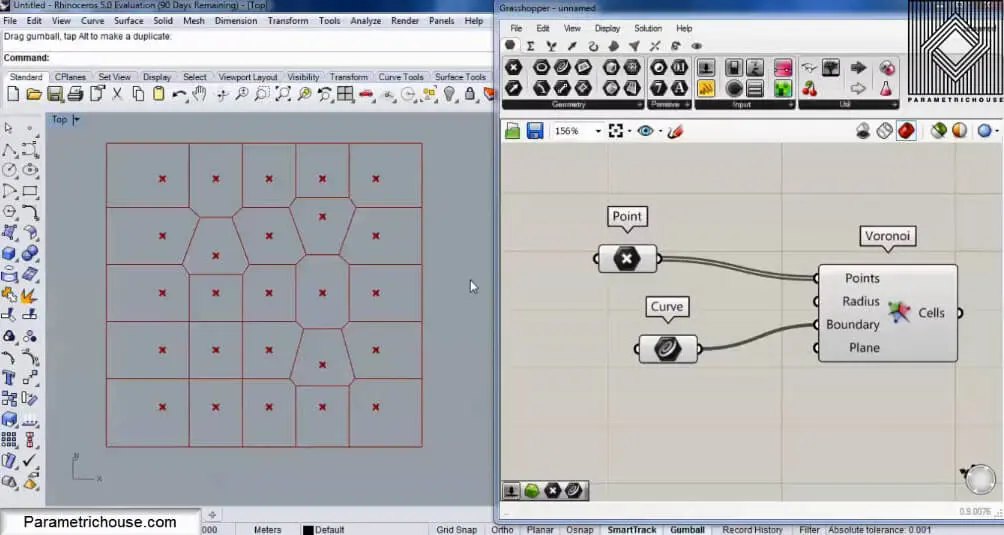
The next tip is that it’s best to keep the points in a plane. If I move three points upwards you can see that the pattern doesn’t change.
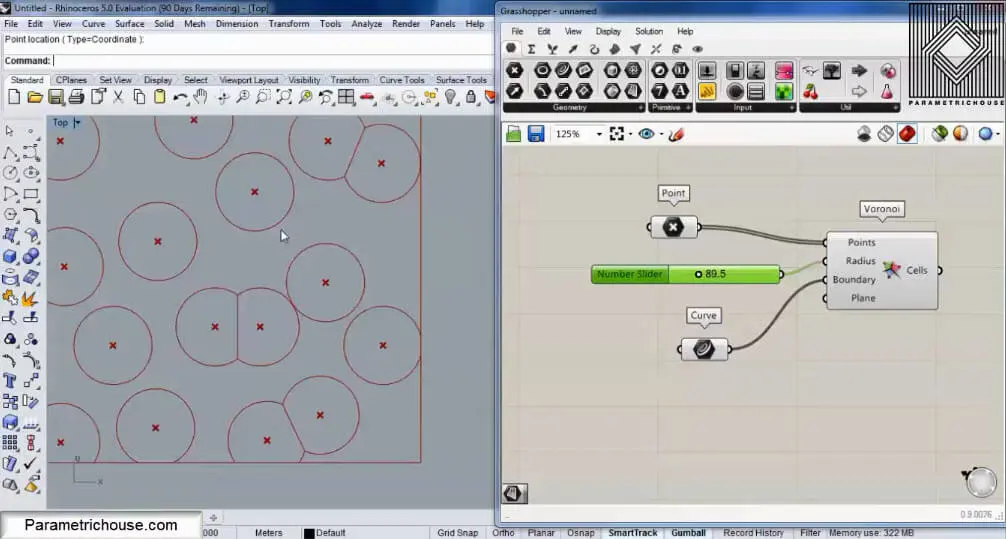
The Next point about Voronoi is that we can give a number to the Radius and produce circles which collide with each other. By increasing the radius the circles will grow and produce straight lines in the intersection. That is because the force of each circle is the same!
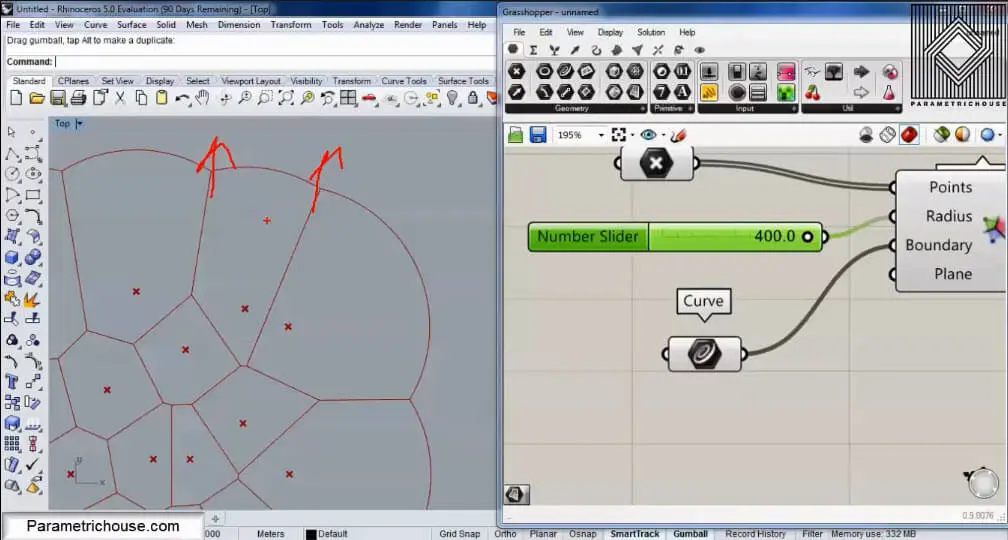
We need the boundary (and it should be planar + rectangular) to stop the circles growing to infinity. That is because the circles on the outermost part will continue to grow and will never produce straight lines! So the boundary assures that this happens!
If you don’t give a boundary, Grasshopper will finally wrap up the circles in a square.
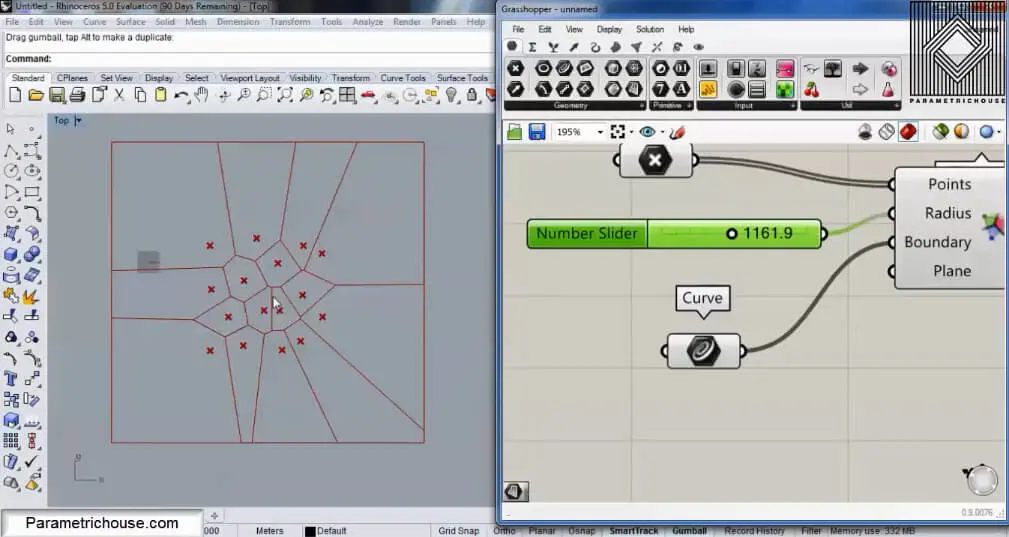
If you want to see the circles you can define a very big boundary outside the cells to reach and even if you increase the radius you will have circles on the outer part of the cells.
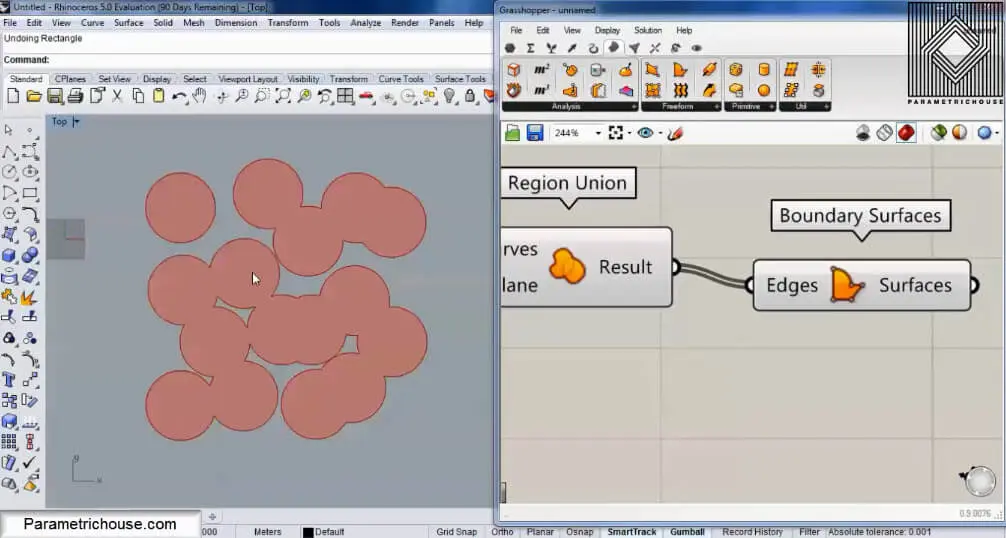
You can also connect a Region Union (Intersect>Shape) to the output to unite the circles and then use Boundary (Surface>Free form) to make the cells visible.
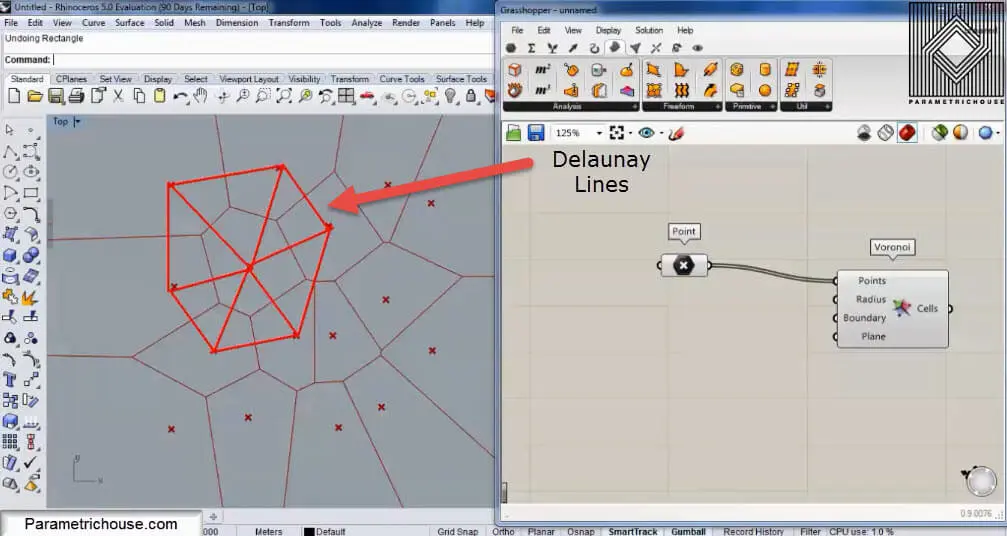
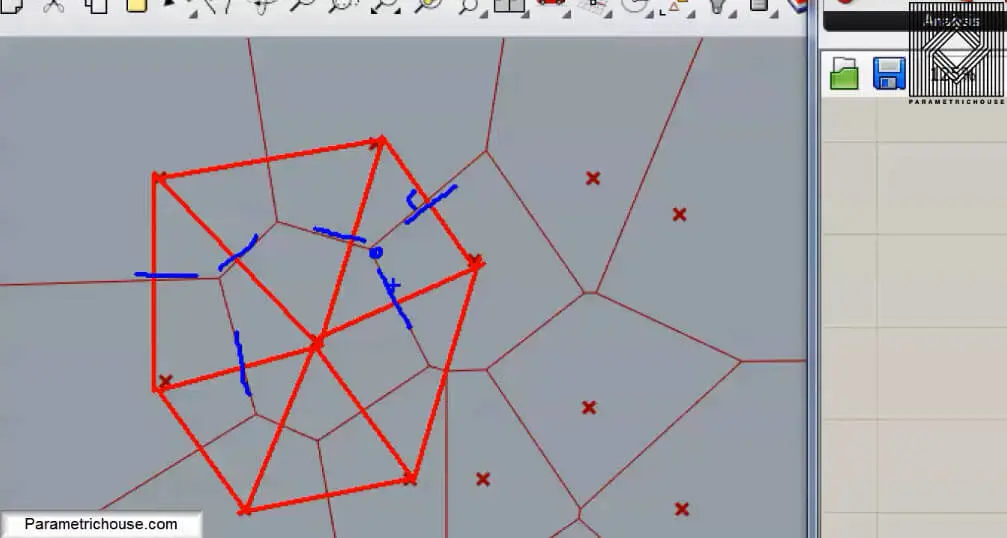
Another definition for the Voronoi cells is that if you connect the points to each other by triangles (Delaunay edges) you can then draw lines which will split the edges into half and also be perpendicular at the same time. These are the Voronoi cell’s edges.
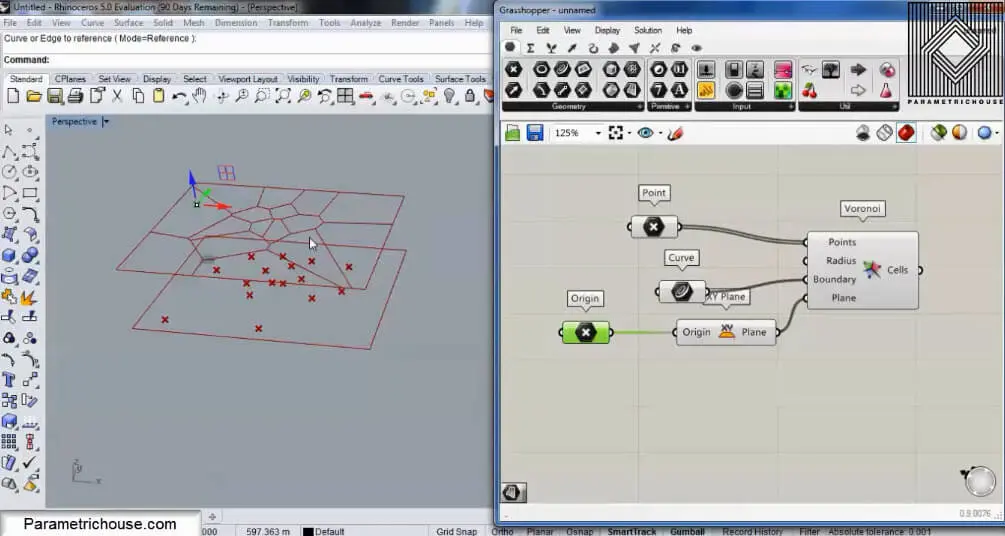
You can also change the plane for the Voronoi cells as below.
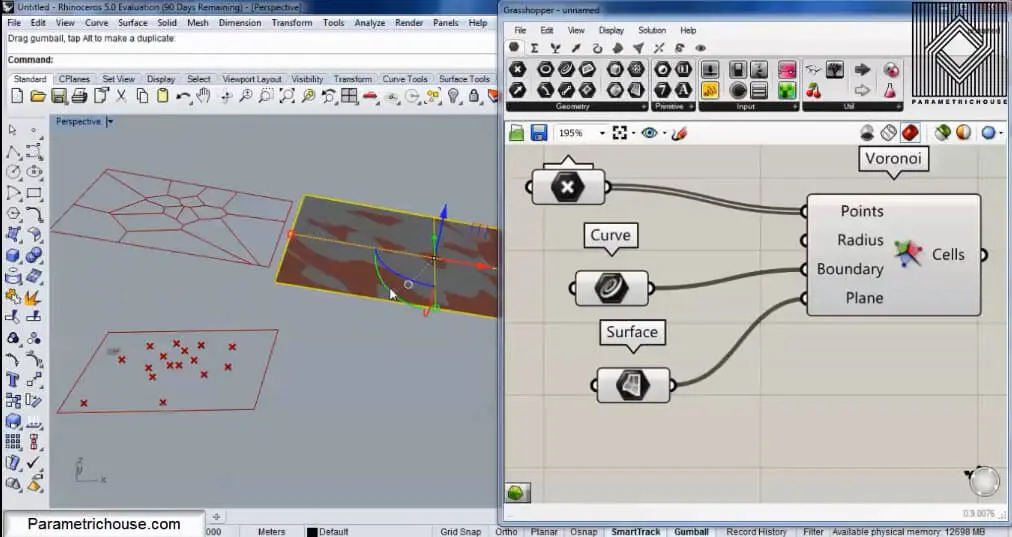
You can also draw a rectangular surface in rhino and then give it to the plane. Grasshopper will automatically give the plane of the surface to the cells. by moving and rotating the surface you can control the orientation of the cells.
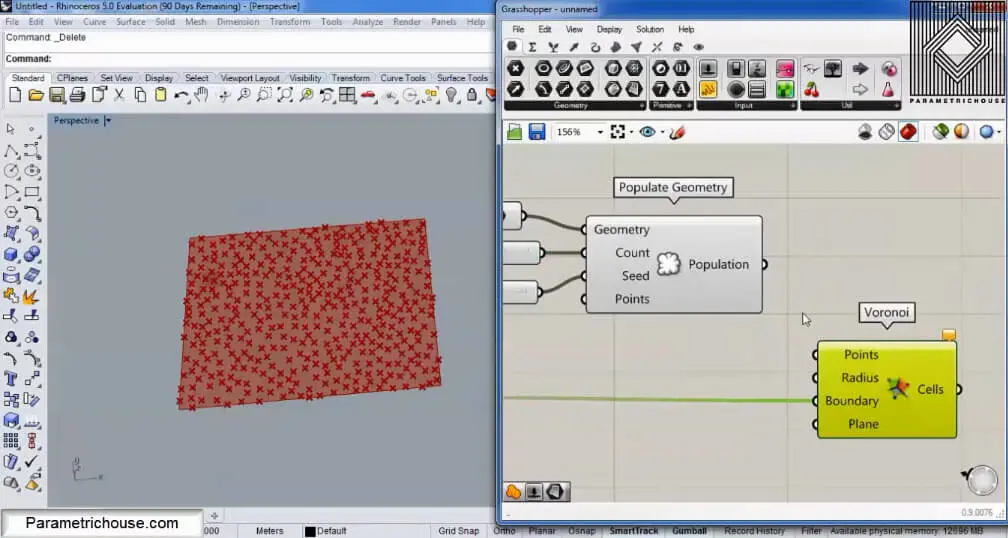
Another technique for producing the Voronoi cell is using “Populate Geometry” (Vector>Grid). First, connect a surface to the rectangular boundary and then give it to the Geometry input. Populate geometry will produce randomly distributed point in the rectangle which you can later give to the the Voronoi tool.